
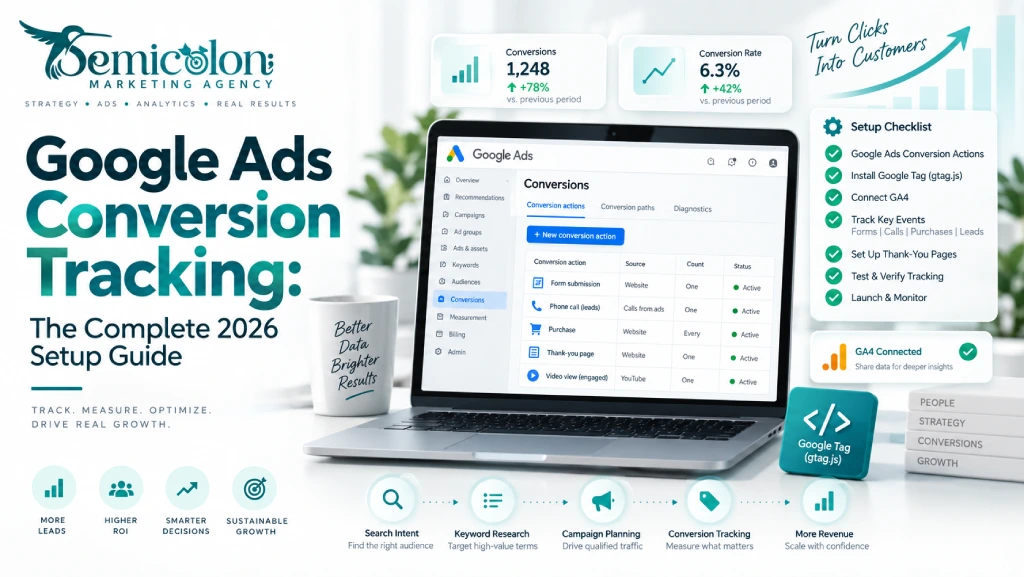
Google Ads conversion tracking shows what happens after someone interacts with your ad. It can record actions such as purchases, form submissions, phone calls, sign-ups, or booked appointments. In 2026, a solid setup usually starts with a Google tag or Google Tag Manager Help, then adds the conversion actions that actually matter to the business.
GA4, Enhanced Conversions, Consent Mode, phone tracking, and offline lead data can then be added where they make sense. The goal is not to track everything. It is to give Google Ads Help a clear picture of what a real customer looks like.
That matters even more when you use Smart Bidding. Google describes Smart Bidding as a group of bidding strategies that use Google AI to optimize for conversions or conversion value at auction time. If the conversion signals are weak, duplicated, or incomplete, the bidding system is learning from weak data.
This article explains how Google Ads conversion tracking works, how to set it up correctly, and what service businesses should pay particular attention to in 2026.
What Is Google Ads Conversion Tracking and Why Does It Matter?
Google Ads conversion tracking measures valuable actions people take after interacting with your ads. A conversion can be a purchase, lead, phone call, appointment, sign-up, or another action that matters to your business.
It connects those actions back to your advertising, helping you see which campaigns, ads, keywords, and audiences are producing useful results.
Imagine a dental clinic receives 200 clicks. On their own, those clicks tell you very little. If 15 visitors call the clinic, eight complete an appointment form, and five become booked patients, you have information you can actually use.
This is why conversion measurement should be checked early when working with a Google Ads Agency such as Semicolon. Changing bids and keywords before confirming the tracking setup can lead to decisions based on incomplete data.
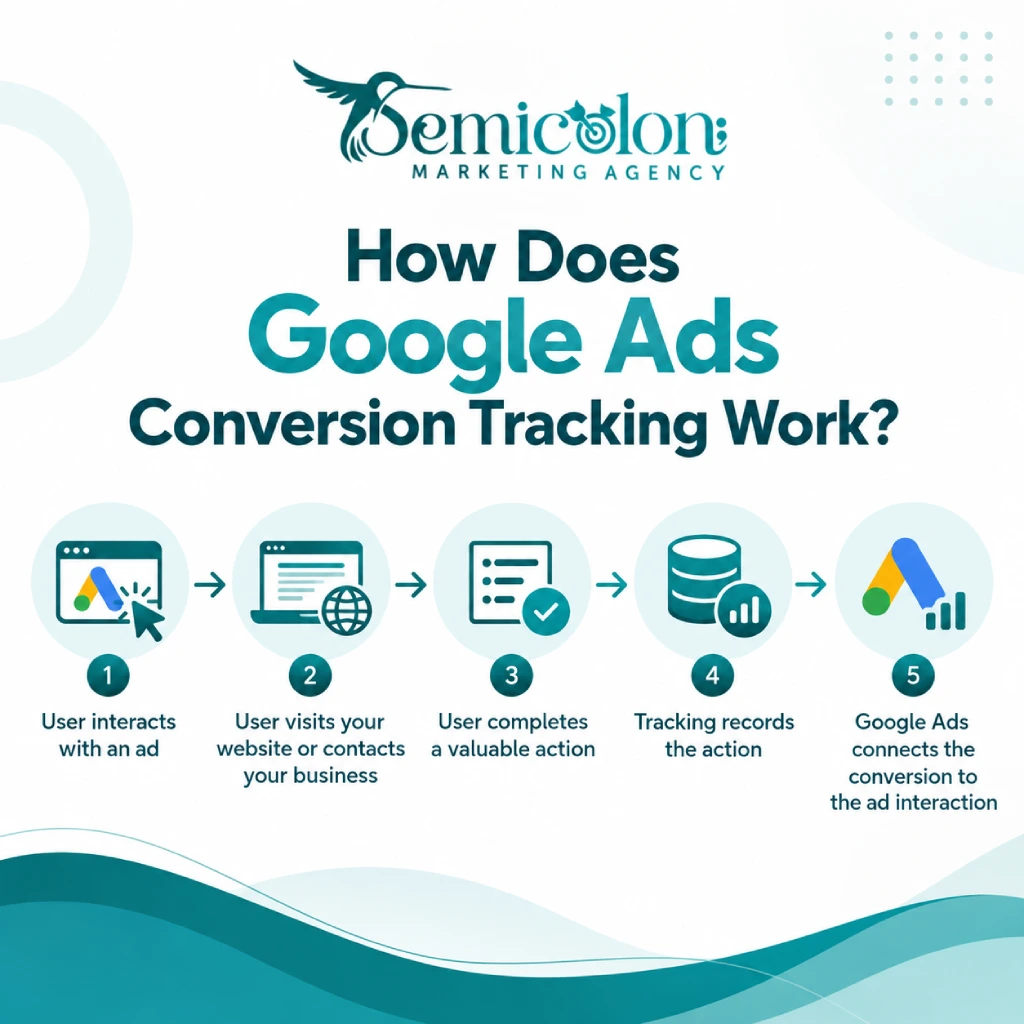
How Does Google Ads Conversion Tracking Work?
The basic process is straightforward:
- A user clicks or interacts with an ad.
- The user visits your website or contacts the business.
- They complete an action you have defined as valuable.
- Your tracking setup records that action.
- Google Ads connects the conversion with the relevant advertising interaction.
The Google tag can be used with conversion events to measure actions on a website. Google Tag Manager can also manage these tags without requiring marketers to edit website code every time the tracking setup changes.
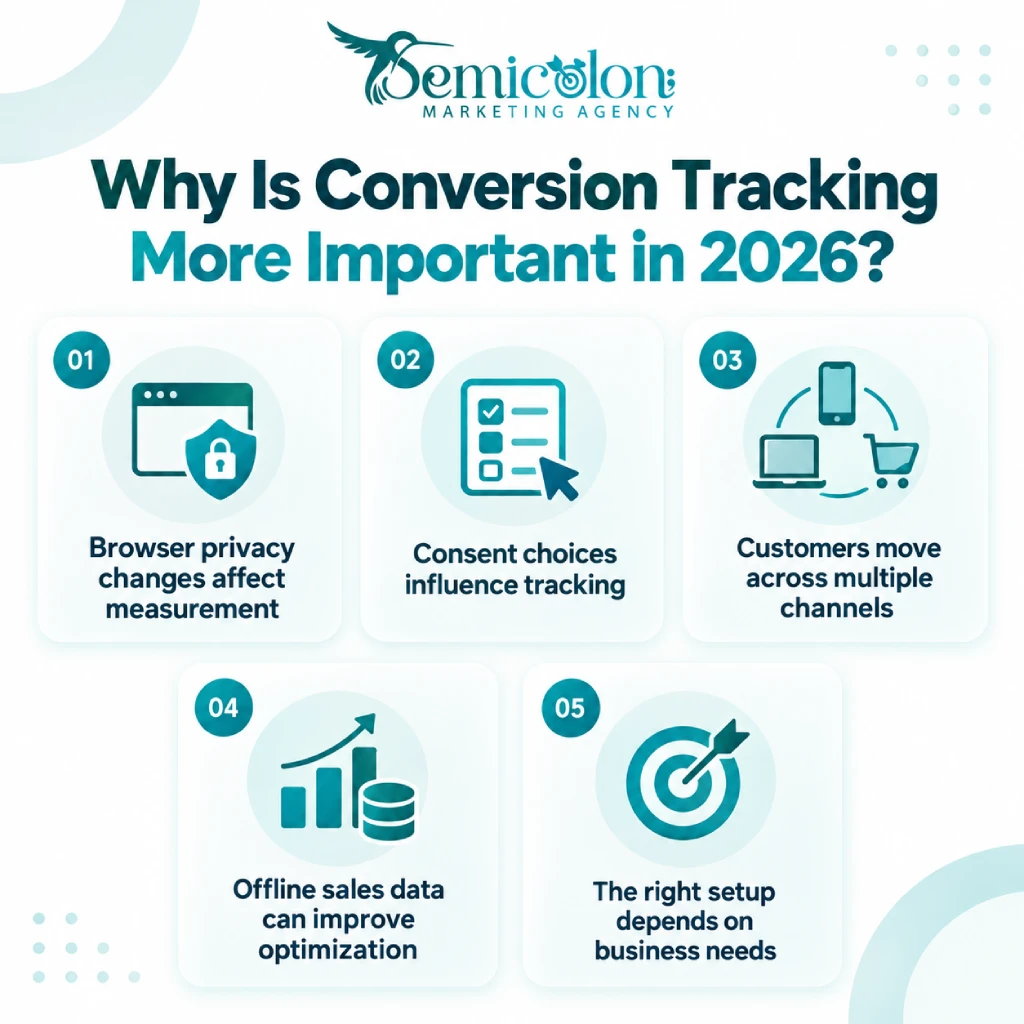
Why Is Conversion Tracking More Important in 2026?
Tracking is more complicated than it was a few years ago. Businesses now have to think about browser privacy controls, consent choices, cross-device behaviour, first-party data, offline sales, calls, CRM systems, and people who move between several channels before converting.
That does not mean every business needs an advanced tracking stack. A local company with one form and one phone number may only need a clean basic setup. A large B2B business with a CRM and a long sales cycle may need much more. The right setup is the simplest one that captures the business outcomes you actually care about.
What Does Bad Conversion Tracking Cost You?
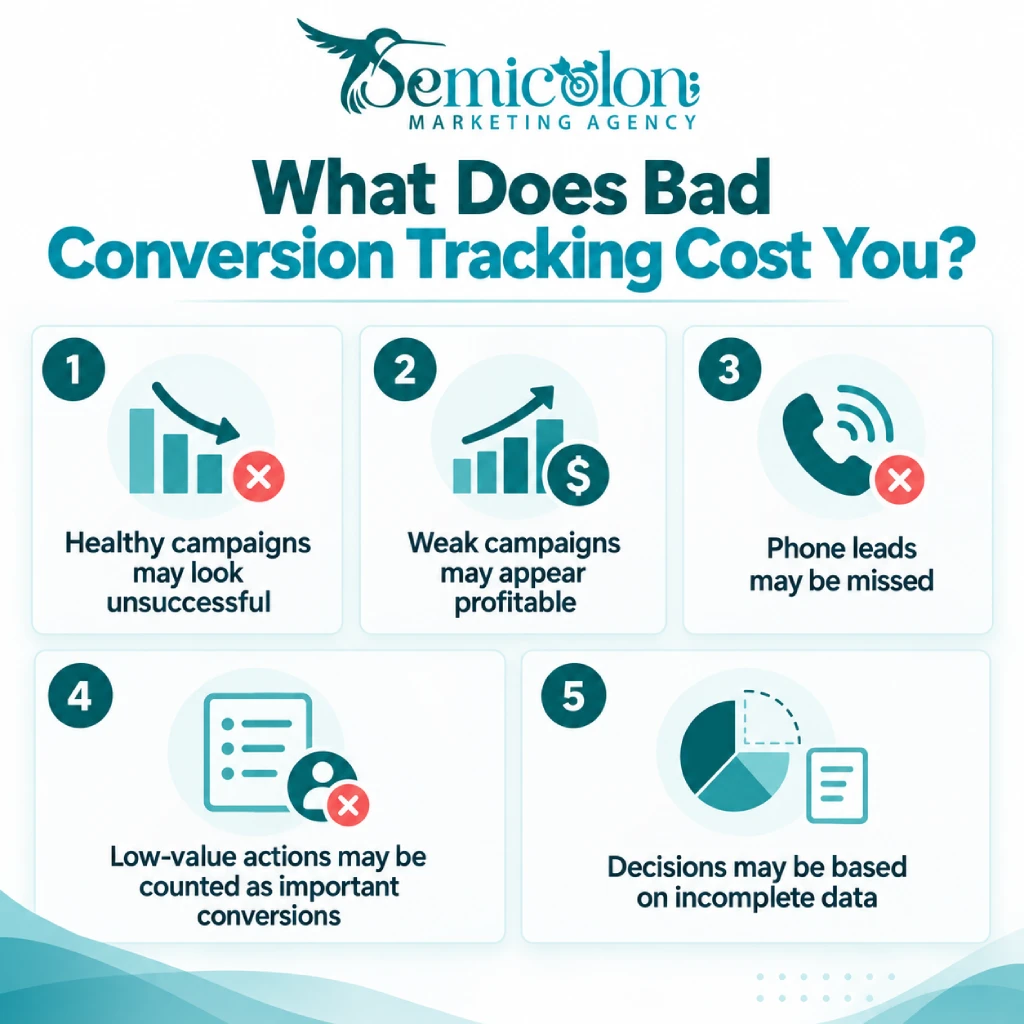
Bad tracking can make a healthy campaign look weak, or a poor campaign look successful.
Suppose a contractor receives most of its serious enquiries by phone but only tracks online forms. Google Ads will not see many of the leads created by those campaigns.
The same problem happens when a business counts weak actions as primary conversions. If a page visit and a signed contract are both treated as equally valuable outcomes, the data stops reflecting the real business goal.
This also changes how you judge Google Ads Management Cost. Paying someone to manage campaigns is difficult to justify if the account cannot show which leads or sales actually came from those campaigns.
WordStream Industry Benchmarks can give useful context, but they should not become targets. WordStream’s 2026 benchmark report, for example, found an average search-ad conversion rate of 8.18% across the campaigns in its dataset. Your actual result can be very different depending on industry, offer, location, lead quality, and what you count as a conversion.
What Types of Google Ads Conversions Can You Track?
The main Google Ads conversion types include website actions, purchases, phone calls, app actions, and offline outcomes such as qualified leads or booked appointments.
For a service business, the most useful conversions are often forms, phone calls, and later-stage outcomes such as a booked appointment or closed job.
| Conversion type | Common example | Best suited to |
|---|---|---|
| Website form | Quote or appointment request | Lead generation |
| Purchase | Completed checkout | E-commerce |
| Call from ad | User calls directly from an ad | Local services |
| Call from website | User clicks an ad, then calls from the site | Local services |
| Offline conversion | Booked appointment or signed contract | Lead-based businesses |
| App conversion | Install or in-app action | App businesses |
Website Conversions
Website conversions can include:
- contact-form submissions;
- appointment requests;
- purchases;
- quote requests;
- registrations;
- account creation.
Try to distinguish real business actions from simple engagement.
A form submission can be a meaningful conversion.
A user opening the contact page is useful behaviour, but it usually should not carry the same weight.
Phone Call Conversions
Phone calls are easy to overlook because they happen away from the form. Google can measure calls that come directly from eligible ads and calls made from a website after an ad visit. Website call conversion tracking can use a Google forwarding number and lets you define a minimum call duration before the call is counted as a conversion.
For a dentist, lawyer, contractor, or other local service provider, missing phone tracking can leave a large hole in the account’s measurement.
App Conversions
Businesses with mobile apps can measure actions such as installs, subscriptions, purchases, or other useful in-app events. For a typical local service company, this will usually be less important than calls and website leads.
Offline Conversions
This is one of the most useful areas for lead-based businesses. A form submission tells you that somebody became a lead. It does not tell you whether that person later:
- qualified for the service;
- booked an appointment;
- signed a contract;
- became a customer;
- generated meaningful revenue.
Offline conversion measurement allows later outcomes to be sent back to Google Ads.
In 2026, Google has moved more of this workflow toward Google Ads Data Manager. From June 15, 2026, Google said current and future offline conversion and Enhanced Conversions for leads uploads should use the Data Manager API rather than relying on the previous Google Ads API workflow.
Which Google Ads Conversion Tracking Method Should You Use?
Choose the tracking method based on how your customers convert and how complicated your website is. A simple site may work well with the Google tag. A business with multiple events usually benefits from Google Tag Manager. Lead-based businesses should also think about phone and offline tracking.
Here is a simple decision guide:
| Your situation | Good starting point |
|---|---|
| Simple website with one or two actions | Google tag |
| Several marketing and analytics tags | Google Tag Manager |
| Dental or local service business | GTM + forms + phone tracking |
| Contractor with long sales cycle | GTM + phone + offline conversions |
| E-commerce store | GTM/Google tag + purchase value + Enhanced Conversions |
| B2B lead generation | GTM + GA4 + CRM/offline data |
| Advanced measurement setup | Consider server-side tagging |
If you are still planning campaigns rather than fixing an existing account, conversion measurement should also be part of your wider Google Ads Strategy for Small Business. Decide what a qualified lead looks like before you start optimizing campaigns toward it.
How Do You Set Up Google Ads Conversion Tracking?
The basic setup has four parts: define the conversion, choose how to measure it, install the required tag or event, and test the conversion yourself.
Do not start by adding tags randomly.
Start by answering a simpler question:
What action do we actually want more of?
Step 1: Define the Conversion Action
Choose the actions that matter to the business. For a dental clinic, these might be:
- a completed appointment form;
- a meaningful phone call;
- a confirmed appointment.
For an online shop, the obvious primary action is usually a completed purchase. Google Ads allows conversion goals and actions to be used with Smart Bidding, so choosing the right actions matters.
Avoid making every measurable action a primary conversion.
A homepage visit is not the same as a new customer.
Step 2: Choose the Tracking Method
The three common starting points are the Google tag, Google Tag Manager, and GA4.
The Google tag is simple. Google Tag Manager gives you more flexibility when you have several tags or triggers.
GA4 is useful when you also need analytics and cross-channel behaviour. You can use more than one platform, but you need to understand what each conversion represents so the same lead is not accidentally treated as two primary conversions.
Step 3: Install the Google Tag
The Google tag should load on the relevant website pages. Conversion-specific events then tell Google when the important action takes place.
For a simple thank-you page, the setup can be easy. For a dynamic form, booking system, or third-party widget, the trigger may need more careful configuration.
Step 4: Set Up Google Tag Manager
Google Tag Manager is often the practical choice for marketing websites because it lets you manage Google Ads and analytics tags from one container.
A typical setup can include the Google tag, Google Ads conversion events, GA4 events, phone tracking, and consent settings.
One important 2026 point: older tutorials often tell you that a separate Conversion Linker tag must always be created. That is no longer true in every setup. Google notes that containers using the Google tag can handle the relevant linking behaviour without always requiring a separate Conversion Linker tag. Always check the current implementation before adding duplicate configuration.
Step 5: Connect GA4 and Google Ads
GA4 key events can be used to create conversions in Google Ads. This can be useful if your analytics setup already has reliable events. Be careful with duplicate conversions. For example, if a contact form is measured directly by Google Ads and the same form event is also imported from GA4, do not blindly use both as primary conversion actions. Choose a clear source of truth.
Step 6: Test the Setup
- Do the conversion yourself.
- Submit the form.
- Click the phone number.
- Complete the checkout.
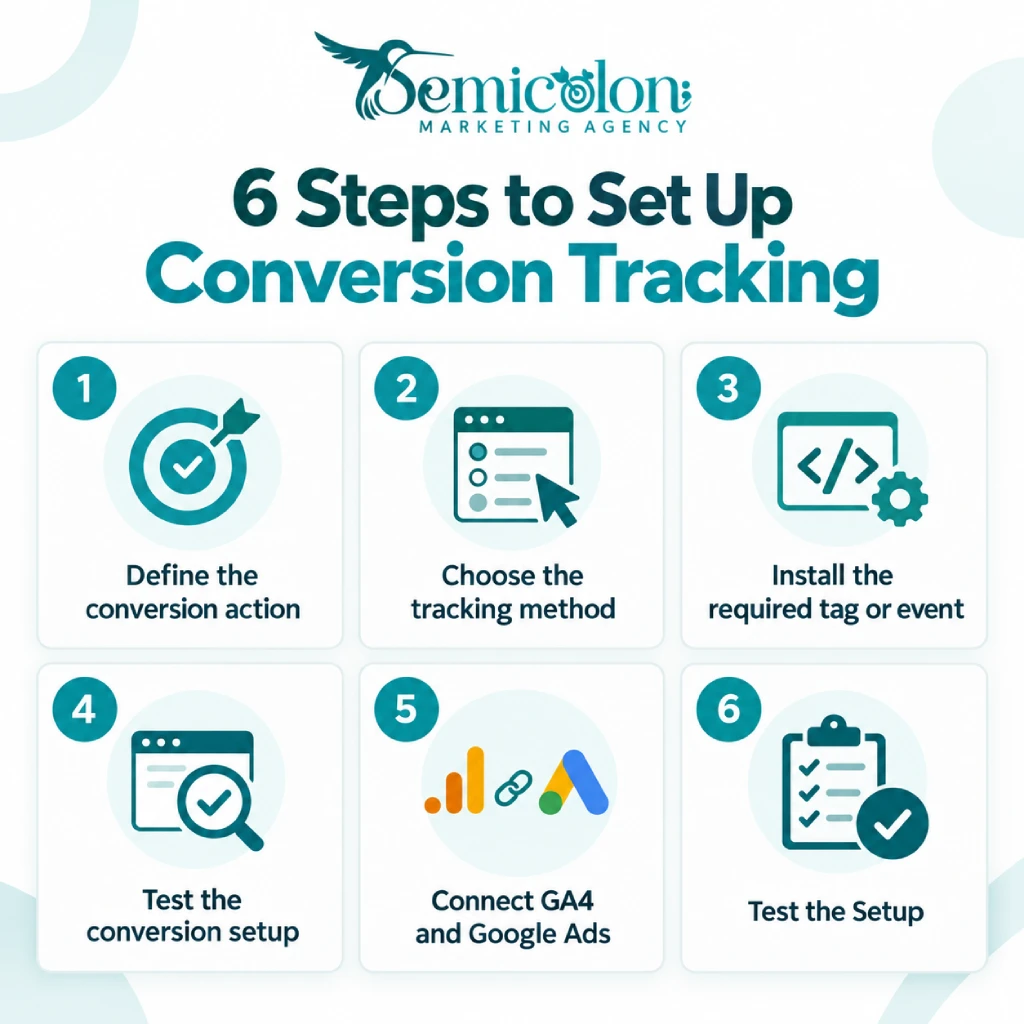
Open GTM Preview or Tag Assistant and check whether the expected tag fires. If GA4 is part of the setup, confirm that the event appears there too. Do not assume a published tag is a working tag.
How Do You Set Up Phone Call Conversion Tracking?
Phone conversion tracking can measure calls made directly from ads and calls made from your website after an ad visit. For service businesses, both can matter.
Calls Directly From Ads
Google can report calls generated through eligible call assets and ad experiences. You can set a minimum duration so very short calls do not automatically count as meaningful conversions. There is no perfect duration for every business.
A useful call to an emergency plumber may be short. A dental consultation call may take several minutes. Use your own call patterns to decide.
Calls From Your Website
A person may click an ad, look around your website, and then call.
Google’s website call tracking can use a dynamically generated Google forwarding number for eligible traffic. This allows Google Ads to associate the phone call with the advertising activity that led to it.
Third-Party Call Tracking
Businesses that need deeper reporting may use a service such as CallRail or another call-tracking platform. These tools can be useful when you want to connect calls with CRM records, qualify leads, or understand the source of individual calls in greater detail.
Phone data can also reveal keyword problems. If calls are coming from the wrong search terms, reviewing search queries and research resources such as The 6 Best PPC Keyword Tools can help improve campaign targeting.
What Are Enhanced Conversions in Google Ads?
Enhanced Conversions use hashed first-party customer information to improve conversion measurement when matching eligible ad interactions with conversions.
The information can include data such as an email address or phone number. Google says this data is hashed using SHA-256 before it is sent for matching. Enhanced Conversions do not replace your basic conversion setup. They supplement it.
What Changed in 2026?
This is an important update. Google combined Enhanced Conversions for web and Enhanced Conversions for leads into one account-level setting.
Starting in April 2026, Google Ads began accepting user-provided data at the same time from website tags, Data Manager, and API connections rather than requiring advertisers to choose only one implementation route. That makes older tutorials describing them as completely separate systems less useful.
Should Every Business Enable Enhanced Conversions?
Not automatically. Before enabling them, make sure:
- you are collecting permitted first-party data;
- the implementation follows Google’s customer-data rules;
- your consent setup is appropriate;
- you are not sending data that should not be used for advertising measurement.
This needs extra care in industries that handle sensitive information.
What Is Consent Mode?
Consent Mode lets Google tags change their behaviour based on the consent choices a user makes. It is part of the measurement setup, not a replacement for a privacy policy, consent banner, or legal review.
If your business serves users in regions with consent requirements, your consent-management system needs to communicate those choices correctly to the tags.
Basic vs Advanced Consent Mode
With a basic implementation, relevant Google tags remain blocked until the user’s consent choice allows them to run.
Setup requirements (CMP integration)
With an advanced implementation, tags can load with denied consent states and change behaviour when consent is updated. This can allow limited cookieless measurement signals where Google’s systems support them.
Canada-specific: PIPEDA compliance
For Canadian businesses, do not treat Consent Mode as a button that automatically makes a website compliant with PIPEDA or other privacy rules. Privacy compliance depends on what data you collect, how you use it, your users, and the laws that apply to the business.
What Is Server-Side Conversion Tracking and Who Needs It?
Server-side tracking sends conversion data through a server instead of relying only on the user’s browser. This gives you more control over the data and can make tracking more reliable. For most small businesses, normal GTM is enough.
Browser-Side vs Server-Side Tracking
| Feature | Browser-Side | Server-Side |
|---|---|---|
| Setup | Easier | More complex |
| Cost | Usually free | Usually has hosting cost |
| Browser limits | More affected | Less affected |
| Data control | Lower | Higher |
| Best for | Small businesses | Larger or more advanced setups |
When Is Server-Side Tracking Worth It?
It is usually worth considering if you have:
- high ad spend;
- a CRM or complex lead flow;
- stricter data requirements;
- several marketing platforms;
- technical support available.
For a small local business with one form and one phone number, it may be more than you need.
How Much Does It Cost?
Server-side GTM usually needs paid hosting. A small setup may cost around $10–$100+ per month, depending on traffic and provider.
Common Setup Options
You can run server-side GTM through services such as:
- Stape
- Google Cloud
- AWS
Google’s server-side tagging documentation also makes clear that this setup adds more infrastructure and maintenance than a normal browser-based setup.
How to Set Up Offline Conversion Tracking
Offline conversion tracking sends real business results back to Google Ads, such as booked appointments, signed contracts, or closed sales. This is useful for businesses where the real conversion happens after the website lead.
Why Does Offline Tracking Matter?
A form submission is only a lead. For example, two campaigns may each bring 10 forms, but one may create 7 customers while the other creates only 1. Offline tracking helps Google see that difference.
How Does GCLID Tracking Work?
A simple flow is:
- Someone clicks your Google ad.
- The GCLID is saved with the lead.
- The lead enters your CRM.
- The lead becomes a customer.
- That result is sent back to Google Ads.
Can You Use a CRM?
Yes. Platforms such as:
- HubSpot
- Salesforce
- Pipedrive
can help send qualified leads or sales back to Google Ads.
Can Small Businesses Upload Conversions Manually?
Yes. If you do not have a CRM integration, you can upload offline conversion data manually using a spreadsheet or Google Ads Data Manager.
For a dental clinic, that could mean sending booked appointments back to Google instead of tracking only form submissions.
How Does Google Match an Offline Conversion?
Traditional workflows can use identifiers such as the Google Click ID, or GCLID, which is captured when someone arrives through an eligible ad click and stored with the lead.
Enhanced Conversions for leads can also use hashed first-party customer information to improve matching.
Google describes Enhanced Conversions for leads as an upgraded approach to offline conversion import.
What Role Does Google Ads Data Manager Play?
In 2026, Data Manager is becoming much more important for first-party and offline conversion workflows. Google Ads Data Manager can connect data sources and use them for measurement and audience activation. Google provides workflows for connecting CRM systems, files, and other data sources for Enhanced Conversions for leads.
For businesses using offline conversions today, this should be part of the implementation plan rather than relying only on older spreadsheet or legacy API tutorials.
How Can You Check Whether Conversion Tracking Is Working?
The safest way to verify tracking is to perform the real conversion and follow the event through your measurement tools. Check the whole journey, not just whether a tag exists. A practical check looks like this:
✅ Google Tag Assistant shows tag firing
✅ GTM Preview Mode confirms triggers
✅ Test conversion submitted
✅ Conversion shows “Recording” status (not “No recent conversions”)
✅ GA4 Real-Time report shows event
✅ Search Console connected (for additional signals)
✅ Google Ads & GA4 linked
✅ Auto-tagging enabled
✅ Conversion window set (30/60/90 days based on sales cycle)
✅ Attribution model selected (data-driven recommended)
If the website team changes the booking form next month, your tracking can break even though nobody touched Google Ads.
What Are the Most Common Google Ads Conversion Tracking Mistakes?
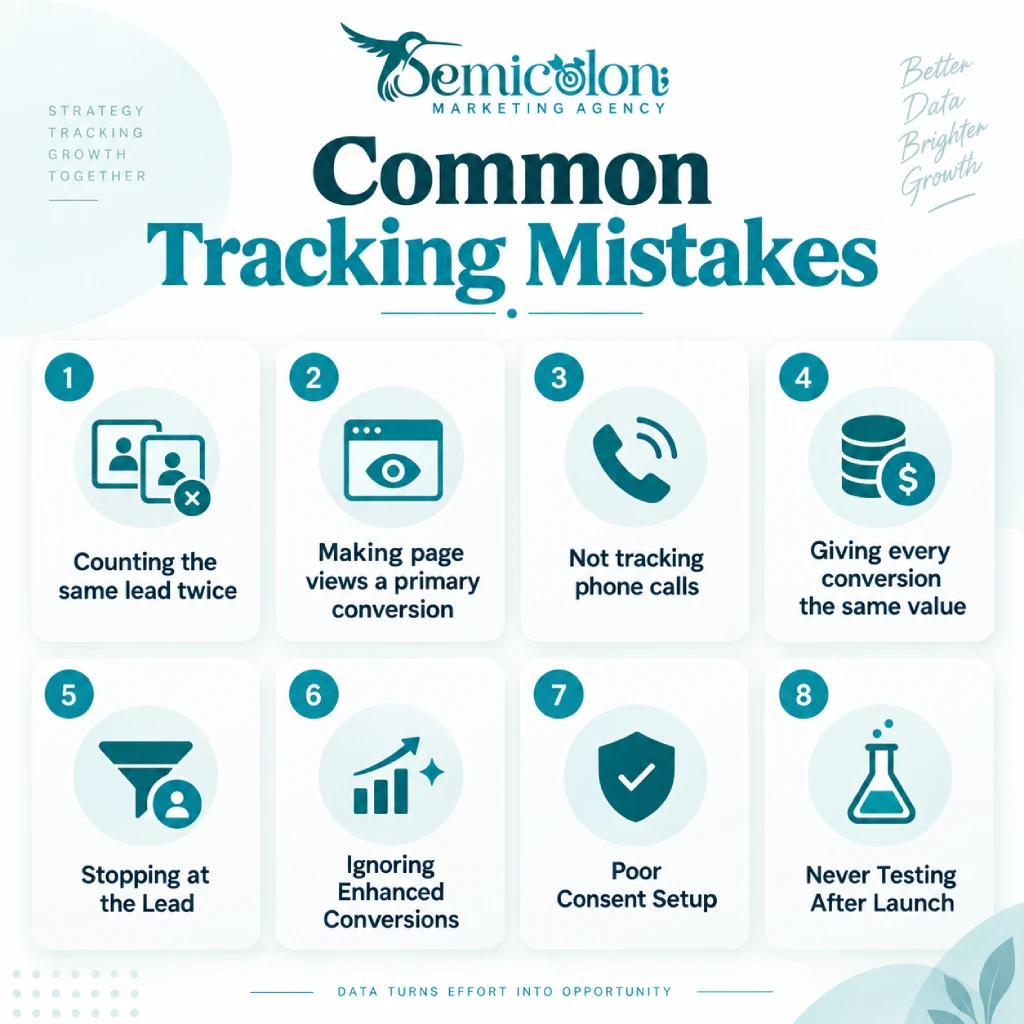
The most common problems are duplicate conversions, weak primary goals, missed phone calls, missing offline outcomes, poor consent configuration, and tracking that was never properly tested. Most of these problems are simple. The expensive part is leaving them unnoticed for months.
Mistake 1: Counting the Same Lead Twice
This often happens when the native Google Ads conversion and a GA4-imported version of the same form are both set as primary.
Choose which action should guide bidding.
Mistake 2: Making Page Views a Primary Conversion
A page view is usually not a business outcome. If your goal is leads, optimize around leads.
Mistake 3: Not Tracking Phone Calls
This can make service-business reporting incomplete. Track calls from ads and, where useful, calls from the website.
Mistake 4: Giving Every Conversion the Same Value
A newsletter signup and a signed $10,000 project are not equal. If you have reliable value data, use it.
Google’s value-based Smart Bidding strategies are designed to optimize around conversion value rather than only conversion volume.
Mistake 5: Stopping at the Lead
Forms are useful, but qualified leads and sales are better signals. Connect CRM or offline outcomes where the business has enough data and processes to maintain them.
Mistake 6: Ignoring Enhanced Conversions
Enhanced Conversions can improve measurement accuracy by supplementing existing tracking with hashed first-party information.
Mistake 7: Poor Consent Setup
A cookie banner appearing on the page does not prove that your tags are respecting the user’s choice.
Mistake 8: Never Testing After Launch
- Websites change.
- Forms change.
- Cookie tools change.
- Booking systems change.
- Test again after meaningful updates.
When Does Google Ads Conversion Data Become Reliable?
There is no single number of conversions or fixed number of days that makes every Google Ads campaign reliable. It depends on your conversion volume, sales cycle, budget, campaign type, bidding strategy, and how consistent the data is.
Avoid old rules that say every account must reach exactly 30 or 50 conversions before automated bidding can work.
Google’s current documentation focuses on how Smart Bidding uses conversion or conversion-value data rather than giving one universal threshold that applies to every account.
Google also changed the naming of some bidding strategies in June 2026. “Maximize conversions with a Target CPA” became Target CPA, while “Maximize conversion value with a Target ROAS” became Target ROAS. The underlying bidding behaviour did not change.
For practical decision-making, look for enough data to see patterns rather than reacting to one or two conversions.
What Is a Good Conversion Tracking Setup for a Service Business?
A good service-business setup tracks the actions closest to a real customer: meaningful calls, completed forms, qualified leads, and booked or closed business.
For example, a dental clinic could use:
- Primary actions: meaningful phone calls, completed appointment requests, and confirmed appointments when offline data is available.
- Secondary actions: contact-page visits, booking-page visits, or other micro-actions that help with analysis but should not drive the main campaign goal.
This keeps the account focused on patients rather than clicks. The same idea applies to contractors, law firms, home-service companies, and B2B firms.
Build Google Ads Tracking Around Real Customers with Semicolon
Good Google Ads conversion tracking is not about creating the longest possible list of events. It is about knowing which ads lead to real business.
Start with the actions closest to revenue. Measure forms correctly. Track valuable calls. Add offline results when leads turn into customers later. Use Enhanced Conversions when they are appropriate for your data and consent setup. Keep GA4 connected when it adds useful context, but do not count the same lead twice.
If you are looking for the best digital marketing agency, do not hesitate to contact us at Semicolon Digital Marketing Agency.
FAQs
What is Google Ads conversion tracking?
Google Ads conversion tracking measures valuable actions people take after interacting with your advertising. Examples include purchases, forms, calls, sign-ups, and appointments.
Is Google Ads conversion tracking free?
Google does not charge a separate fee for its native conversion-tracking feature. Other parts of your setup, such as call-tracking software, CRM tools, server infrastructure, or professional implementation, have their own costs.
Should I use Google Ads conversion tracking or GA4?
In many cases, both are useful. Google Ads conversions support advertising measurement and bidding, while GA4 gives broader website and cross-channel analytics. The important part is avoiding duplicate primary conversions for the same action.
How long does Google Ads conversion tracking take to set up?
A simple form conversion can often be configured quickly. A setup involving calls, multiple forms, consent management, CRM data, or server-side tagging can take much longer.
Why does Google Ads show zero conversions?
Common causes include a tag that is not firing, the wrong trigger, no completed conversions yet, incorrect GA4 importing, broken phone tracking, or changes to the website or consent system.
What is the difference between Enhanced Conversions and server-side tracking?
Enhanced Conversions use hashed first-party information to improve matching and measurement. Server-side tagging changes where part of the tracking process runs and gives you more control over the data flow.
Can Google Ads track booked appointments or closed sales?
Yes. Offline conversion measurement can send outcomes such as booked appointments, qualified leads, or sales back to Google Ads. In 2026, Google Ads Data Manager and Enhanced Conversions for leads are important parts of this workflow.
Do I need Consent Mode?
It depends on your audience, location, consent requirements, data collection, and advertising setup. Consent Mode helps Google tags respond to a user’s consent choice, but it does not replace a proper consent and privacy process.


